What Is a Gated PDF? Benefits, Examples, and Use Cases
A business can spend weeks creating a detailed industry report, ebook, product catalog, or whitepaper. But when visitors download that document directly from a website, the business may never know who accessed it or what they were interested in.
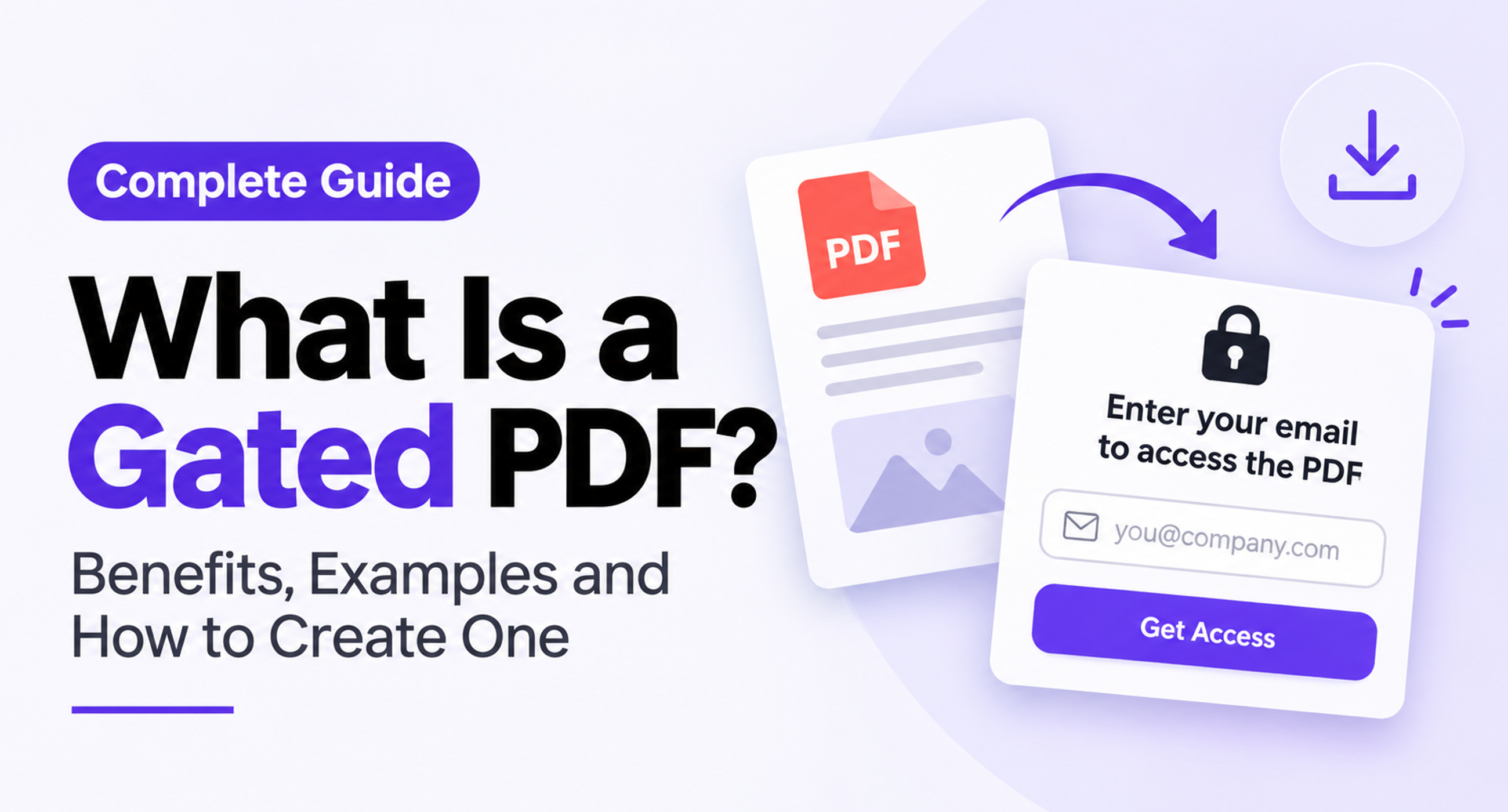
A gated PDF offers a way to make that interaction more valuable. Instead of providing the document immediately, visitors submit their contact details, usually an email address, before accessing it. In return, the business receives a lead it can follow up with.
This approach is commonly used in B2B marketing, SaaS, professional services, and lead generation campaigns.
Quick answer: A gated PDF is a PDF document that visitors can access only after submitting contact information through a form. It is commonly used as a lead magnet to collect email addresses, identify potential customers, and support targeted marketing and sales follow-ups.
In this guide, you'll learn what a gated PDF is, how it works, its benefits and limitations, practical examples, and when you should leave a PDF ungated.
Table of Contents
- What Is a Gated PDF?
- Gated PDF vs. Password-Protected PDF vs. DRM
- How Does a Gated PDF Work?
- Benefits of Gating a PDF
- 12 Examples of Gated PDFs
- Gated PDF Use Cases by Team and Industry
- When Should You Not Gate a PDF?
- Best Practices for Creating Gated PDFs
- How to Create a Gated PDF
- Frequently Asked Questions
What Is a Gated PDF?
A gated PDF is a digital document placed behind a form or access requirement. Visitors must provide specific information, usually their email address, before they can view or download the file.
For example, imagine a SaaS company publishing an industry benchmark report. Instead of displaying a direct download link, the company creates a landing page with a short description and an email form. Visitors enter their email address, submit the form, and receive access to the report.
This creates an exchange: the visitor gets useful information, while the business collects contact details and learns what topics interest potential customers.
Gated PDFs are a common form of gated content, which includes resources such as ebooks, webinars, templates, research reports, and other materials that require visitors to complete an action before accessing them.
Common Terms Used in PDF Gating
Understanding a few related terms makes it easier to choose the right approach:
- Gate: The form or access requirement visitors must complete before opening a document.
- Ungated PDF: A document that anyone can view or download without submitting information.
- Semi-gated PDF: A document where a preview, summary, or selected pages are publicly available, while the complete version requires form submission.
- Lead: A contact record created when someone submits their information to access a resource.
- Lead magnet: A valuable resource offered in exchange for a visitor's contact information.
The goal is not simply to restrict access. It is to offer something useful enough that the intended audience is willing to share their details.
Gated PDF vs. Password-Protected PDF vs. DRM
A gated PDF, password-protected PDF, and DRM-protected PDF may all restrict document access, but they serve different purposes.
A gated PDF is primarily a marketing and lead-generation tool. Password protection and Digital Rights Management (DRM) are more focused on document security and usage restrictions.
| Comparison | Gated PDF | Password-Protected PDF | DRM-Protected PDF |
|---|---|---|---|
| Primary purpose | Collect leads | Restrict document access | Control document usage |
| What the reader needs | Email or contact details | A valid password | Authorised account or licence |
| Access method | Form submission | Password entry | DRM authentication |
| Lead collection | Yes, when connected to a lead system | Not by default | Depends on the platform |
| Usage restrictions | Depends on the delivery method | Basic access protection | May restrict copying, printing, or expiry |
| Common use cases | Ebooks, reports, templates | Contracts and private documents | Paid research and training materials |
For example, a marketing team might use a gated PDF to collect leads from a whitepaper campaign. A legal team might password-protect a confidential contract. A research publisher might use DRM to control access to paid reports.
Can you combine them? Yes. A business can use a gated form to collect leads and private file storage to prevent the original document URL from being publicly shared.
How Does a Gated PDF Work?
Most gated PDF workflows follow a simple exchange: a visitor submits their information, receives access to a document, and becomes a lead in the business's marketing or sales system. Here is how the process typically works:
1. Create a Landing Page
The business publishes a page explaining what the PDF contains, who it is intended for, and what readers will learn.
The page may include a document cover, short description, table of contents, sample pages, or key takeaways.
2. Add an Email Capture Form
A form appears beside or below the document description. Visitors enter their email address and any other required information.
For most lead-generation campaigns, an email address is enough to begin with.
3. Validate the Submitted Information
The system checks the submitted email address before granting access. Depending on the tool, it may identify invalid or disposable email addresses.
This helps improve the quality of collected leads.
4. Unlock or Deliver the PDF
After successful submission, visitors can access the document in different ways:
- Open the PDF in an on-page viewer.
- Download the document.
- Receive an access link through email.
- View the document through a secure link.
The delivery method depends on the tool and the level of access control required.
5. Store the Lead Information
The submitted contact details are saved in a connected lead management system or database.
Ideally, each lead should also be associated with the specific document they requested. For example, someone downloading a pricing guide may have different interests from someone downloading a beginner's checklist.
6. Follow Up With Relevant Content
Once the lead is collected, the marketing or sales team can send relevant follow-up messages.
A visitor who downloads a product comparison guide may receive product information, while someone who downloads an industry report may receive related research or an invitation to discuss the findings.
The value of PDF gating comes from connecting document access with meaningful follow-up, not simply collecting email addresses.
Benefits of Gating a PDF
Gating a PDF can turn an anonymous download into a measurable lead-generation opportunity. When the document provides genuine value and the form is easy to complete, it can support several marketing and sales activities.
1. Generate Identifiable Leads
An ungated PDF may receive hundreds of downloads, but those downloads do not automatically tell you who the readers are.
A gated PDF allows businesses to collect contact details from interested visitors and create records that can be used for future communication.
2. Understand What Your Audience Wants
The document someone chooses to download can provide useful information about their interests. For example:
- A pricing guide may indicate buying interest.
- An industry report may indicate research interest.
- A product catalog may indicate interest in specific products.
- A beginner's guide may indicate early-stage awareness.
These signals help businesses understand what their audience is looking for.
3. Segment Leads Automatically
Different PDFs can attract different types of prospects. By tracking which document each person accesses, businesses can organise leads based on their interests.
This makes it easier to create relevant email campaigns instead of sending the same message to everyone.
4. Support Sales Follow-Ups
A PDF download creates a natural reason for a sales representative to start a conversation.
For example, if someone downloads a product pricing guide, the sales team can follow up with additional information or offer to answer questions about the pricing options.
The conversation is more relevant because it relates to something the prospect has already shown interest in.
5. Measure Content Performance
Gated PDFs make it possible to measure how individual resources contribute to lead generation. Useful metrics include:
- Landing page views
- Form submissions
- Lead conversion rate
- PDF access or download activity
- Leads generated by each document
- Follow-up engagement
These metrics help identify which documents attract the most relevant audience.
6. Get More Value From Existing Content
Businesses do not always need to create new resources to launch a lead-generation campaign.
Existing blog content, presentations, research reports, webinar materials, and product guides can be repackaged into useful PDF resources.
This gives existing content another purpose and helps extend its value.
7. Demonstrate Industry Expertise
Detailed research, practical guides, and original reports can demonstrate a company's knowledge of its industry.
When visitors receive useful information before speaking with a sales representative, they have an opportunity to understand the company's expertise and approach.
What Are the Trade-Offs of Gating a PDF?
Although PDF gating can support lead generation, it is not suitable for every document. Adding a form creates an extra step, and some visitors may leave rather than provide their contact information.
| Potential drawback | Why it happens | How to reduce the impact |
|---|---|---|
| Fewer readers | Some visitors do not want to share their email address | Gate only valuable resources and keep the form short |
| Reduced search visibility | Search engines cannot access content hidden behind a form | Publish an ungated summary with important findings |
| Low-quality leads | Visitors may submit disposable or incorrect email addresses | Use email validation |
| Shared file links | Public PDF URLs can bypass the form | Store files privately and use controlled access links |
| Poor follow-up | Leads are collected but never contacted | Prepare relevant follow-up emails before launch |
An Important Note About Public PDF Links
A form does not automatically make a PDF secure.
For example, Webflow states that files uploaded to its Assets panel are publicly available and discoverable. This means a visitor may be able to access the original file URL even if the page linking to it is password-protected.
If the PDF must remain behind a gate, use a delivery method that protects the original file and provides controlled access.
12 Examples of Gated PDFs
Not every PDF is valuable enough to place behind a form. The strongest gated resources usually provide information, insights, or tools that visitors cannot easily find elsewhere.
Here are 12 examples businesses can use for lead generation.
| No. | Gated PDF type | Example title | Why visitors may download it | Funnel stage |
|---|---|---|---|---|
| 1 | Original research report | State of B2B Onboarding 2026 | Provides original industry data | Top to middle |
| 2 | Benchmark report | SaaS Pricing Benchmarks by Company Size | Helps compare business performance | Middle |
| 3 | Whitepaper | Why Batch Processing Fails at Scale | Explains a complex problem in detail | Middle |
| 4 | Ebook or guide | The Complete Guide to Webflow SEO | Provides structured learning material | Top |
| 5 | Checklist | Website Launch Checklist: 40 Things to Test | Offers practical steps | Top |
| 6 | Template pack | 5 Client Proposal Templates | Saves time with ready-to-use resources | Top to middle |
| 7 | Playbook | The Outbound Sales Playbook | Shares a repeatable process | Middle |
| 8 | Pricing guide | 2026 Price Guide: Commercial Fit-Outs | Helps evaluate purchasing costs | Bottom |
| 9 | Case study collection | How 6 Agencies Cut Delivery Time | Provides real-world examples | Bottom |
| 10 | Product catalog | Industrial Pumps Catalog 2026 | Brings product specifications together | Middle to bottom |
| 11 | Buyer's guide | How to Choose a CRM: 12 Questions to Ask | Supports purchase decisions | Bottom |
| 12 | Swipe file | 50 Cold Email Openers That Get Replies | Provides ready-to-use examples | Top |
What Makes a Good Gated PDF?
The most effective gated PDFs generally share three characteristics:
- They solve a specific problem: Readers understand exactly what they will get from the document.
- They promise a clear outcome: The title communicates a practical benefit rather than a vague topic.
- They provide immediate value: Readers can apply the information without spending hours figuring out what to do next.
For example, a 10-page checklist that helps someone complete a website launch may be more valuable than a 60-page ebook with general information.
Gated PDF Use Cases by Team and Industry
Different teams use gated PDFs for different purposes. The document type, information collected, and follow-up process should match the team's goals.
Use Cases by Team
Marketing and Demand Generation
Marketing teams use gated PDFs to generate leads from research reports, ebooks, guides, and other resources. They can also segment contacts based on the documents downloaded and measure which resources contribute to pipeline growth.
Sales Teams
Sales teams use gated case studies, pricing guides, and product comparisons to support conversations with potential customers. These documents can help prospects evaluate solutions and make informed decisions.
Agencies and Freelancers
Agencies can offer audit checklists, capability statements, service guides, and case study collections to attract potential clients. They can also implement PDF gating for clients who want to generate leads through their own websites.
SaaS Founders and Product Teams
SaaS businesses can create benchmark reports, templates, product guides, and educational resources related to the problems their products solve. These resources help attract relevant audiences before they are ready to request a demo.
Content Teams
Content teams can repurpose existing blog posts, webinars, presentations, and research into downloadable PDF resources. This extends the usefulness of existing content and creates additional opportunities for audience engagement.
Use Cases by Industry
| Industry | Example of a gated PDF | What the download may indicate |
|---|---|---|
| B2B SaaS | Benchmark report or template pack | Interest in a specific business challenge |
| Agencies and consultancies | Audit checklist or capability statement | Interest in a particular service |
| Manufacturing and industrial | Product catalog or technical specification guide | Interest in a product category |
| Professional services | Guide to a regulation or business process | A specific business requirement |
| Real estate | Local market report or area guide | Interest in buying, selling, or investing |
| Education and training | Course guide or sample lesson | Interest in a programme |
| Events and conferences | Sponsorship prospectus | Potential sponsorship interest |
| Financial services | Market outlook or research report | Interest in a market or financial product |
The most useful approach is to match the PDF to the audience's needs and create a follow-up process based on the information the download provides.
When Should You Not Gate a PDF?
Gating every PDF on a website is not a good lead-generation strategy. Some documents should remain publicly available because visitors need quick access to them or because their content supports search visibility.
Consider leaving the following documents ungated:
- Legal and policy documents: Terms and conditions, privacy policies, and return policies should be easy to access.
- Existing customer resources: User manuals, onboarding documents, invoices, and support guides should not create unnecessary barriers for customers.
- Public information: Menus, timetables, opening hours, and public reports are generally expected to be freely available.
- SEO-focused resources: Documents that support organic search visibility should have accessible content on the website.
- Short or low-value resources: A simple document that repeats information already available in a blog post may not offer enough value to justify a form.
Consider Using a Semi-Gated PDF
A semi-gated PDF offers a middle ground between completely open access and full form-based access.
Instead of hiding the entire document, businesses can make selected content available publicly and place the complete resource behind a form. For example:
- Display the executive summary publicly.
- Show the table of contents.
- Provide the first few pages as a preview.
- Gate the complete report behind an email form.
This gives visitors an opportunity to evaluate the document before sharing their details. It also allows the publicly available page content to provide useful information to search engines.
Best Practices for Creating Gated PDFs
A successful gated PDF campaign depends on more than adding an email form. The document, landing page, access process, and follow-up experience all influence results.
Follow these practices when creating a gated PDF.
1. Keep the Form Short
Ask only for information you genuinely need. For most resources, an email address is enough.
Additional fields such as company name, job title, and phone number can increase form friction. Consider collecting them later when there is a clear reason.
2. Explain What the PDF Contains
Visitors should understand what they are receiving before submitting their details.
Include a short description, document cover, page count, table of contents, or sample page.
3. Use a Specific Title
A clear title communicates the document's value. For example:
- Vague: Website Launch Guide
- Specific: Website Launch Checklist: 40 Things to Test Before Going Live
The second title tells visitors exactly what they can expect.
4. Explain What Happens After Submission
Let visitors know whether the PDF will open immediately, download automatically, or arrive through email.
A clear message reduces confusion and improves the overall experience.
5. Handle Consent Transparently
Explain how submitted contact information will be used. If visitors can subscribe to marketing emails, provide a separate, optional, unticked consent checkbox where required.
Consent requirements vary by jurisdiction. For example, GDPR guidance requires consent to be freely given, specific, informed, and unambiguous. This is practical guidance, not legal advice.
6. Protect the Original PDF File
If the original file is publicly accessible, visitors may share its URL and bypass the form.
Use private file storage and controlled access links when access restrictions are important. Remember that a gated form alone does not guarantee document security.
7. Plan the Follow-Up Process
Decide what happens after someone accesses the document.
For example, a person who downloads a pricing guide may receive a relevant product email, while someone who downloads an educational checklist may receive additional learning resources.
8. Track Each PDF Separately
Measure the performance of individual documents instead of combining all downloads into one total.
Track landing page visits, form submissions, access activity, and conversion rates to understand which resources generate useful leads.
9. Keep Content Updated
If a PDF includes dates, statistics, pricing, regulations, or industry benchmarks, review it regularly.
An outdated document can reduce trust. Update the information and its title together when necessary.
How to Create a Gated PDF
Creating a gated PDF requires four main components:
- A valuable PDF document.
- A landing page explaining its benefits.
- A form or gate to collect visitor information.
- A delivery and follow-up process.
Here is a simple workflow:
- Choose the document: Select a resource that provides genuine value to your target audience.
- Create a landing page: Explain what the PDF includes, who should download it, and what visitors will learn.
- Add an email gate: Choose a form, marketing platform, or dedicated PDF gating tool.
- Configure file access: Store the document securely and prevent the original file URL from bypassing the form.
- Set up delivery: Decide whether visitors will view, download, or receive the PDF through email.
- Connect lead management: Save contact details along with the document name so you can segment and follow up with leads.
- Measure performance: Track views, submissions, access activity, and conversions for each PDF.
How to Gate a PDF on Webflow
Webflow does not provide a dedicated built-in PDF gating feature. Also, files uploaded to the Webflow Assets panel are publicly accessible, so simply hiding a download link behind a form does not secure the original PDF.
GatedPDF provides a way to add PDF gating to Webflow websites. It allows businesses to collect email addresses before granting access to documents.
GatedPDF includes features such as:
- Email gates for PDF access.
- Private PDF storage.
- Viewing links that expire after two minutes.
- Disposable email blocking.
- Different PDF assignments for Webflow CMS items.
- Lead collection and management.
The free plan includes unlimited PDFs, websites, and leads.
If you want to explore the implementation process, read our detailed guide: How to Gate a PDF on Webflow and Capture Email Leads.
You can also review the GatedPDF documentation for setup instructions.
Frequently Asked Questions
What does "gated" mean in marketing?
In marketing, gated content refers to resources that require visitors to complete an action, usually submitting contact information, before accessing them. Examples include ebooks, reports, webinars, templates, and downloadable PDFs.
Is a gated PDF the same as a lead magnet?
Not exactly. A lead magnet is any valuable resource offered in exchange for contact information. A gated PDF is one common type of lead magnet. Other examples include webinars, free tools, templates, and online courses.
What is the difference between a gated and an ungated PDF?
A gated PDF requires visitors to complete a form or provide information before accessing the document. An ungated PDF is available to anyone without submitting contact details.
Can Google index a gated PDF?
Google generally cannot access content that is available only after a form submission. However, if the original PDF is stored at a publicly accessible URL, search engines may still discover and index that file. Use private storage when you need to protect access, and publish a useful text summary on the landing page.
What information should a gated PDF form collect?
An email address is usually sufficient for most gated PDF campaigns. You can collect additional details, such as a person's name, company, or job title, when those details are genuinely needed. Keep in mind that every additional field can create more friction.
Can people share a gated PDF?
Yes. Once someone has downloaded a PDF, they may share the file with others. An in-browser viewer and controlled access links can reduce casual sharing, but no method can completely prevent someone from capturing or redistributing document content.
Do gated PDFs hurt SEO?
Gating a PDF can limit the search visibility of the document itself because search engines cannot access content hidden behind a form. However, the landing page can still rank if it includes useful, accessible text. Consider publishing the key findings or an executive summary openly while gating the full document.
How can I create a gated PDF for free?
You can use a website form that reveals a download link after submission or choose a dedicated PDF gating tool with a free plan. On Webflow, GatedPDF offers a free Starter plan with unlimited PDFs and leads.
Conclusion: Gate PDFs That Deliver Real Value
A gated PDF gives businesses an opportunity to turn anonymous document downloads into identifiable leads. It can help marketing teams understand audience interests, support relevant sales conversations, and measure the performance of individual content resources.
However, not every PDF should be gated. The best candidates are documents that provide specific value, such as original research, industry reports, pricing guides, templates, and detailed case studies.
Start with one useful resource, create a clear landing page, keep the form simple, protect the original file, and plan the follow-up process before publishing.
Ready to turn your PDF documents into lead-generation opportunities? Try GatedPDF and start collecting leads from your Webflow website.